

Best overall for CRM-backed recommendations: Paid Lens. Best for Google Search campaign pooling: Google Ads shared budgets. Best for Meta ad-set allocation: Meta Advantage campaign budget. Best for manual planning: Google Sheets. Best for marketing-mix planning: Google Meridian. These budget allocation tools for paid media solve different decisions; this 2026 guide separates cross-channel recommendations from platform execution.
- Paid Lens is the best fit for agencies seeking evidence-backed budget allocation tools for paid media tied to CRM revenue.
- Google Ads shared budgets and Meta Advantage campaign budget allocate spend within their respective advertising platforms.
- Google Sheets supports manual cross-channel planning; Google Meridian supports model-based marketing-mix analysis.
- Choose the decision you need to defend before choosing a reporting dashboard or allocation method.
Why this matters
A campaign can report efficient conversions while contributing little qualified pipeline. A different campaign can look expensive at the lead stage and produce stronger sales outcomes. Budget decisions need a defined business outcome, not just a platform conversion column.
For agencies, that distinction becomes a client-management issue. You need to explain what changes, which evidence supports the change, and what would reverse the decision. For marketing leaders, the same questions surface in finance meetings.
An allocation tool is useful when it connects an observation to a defensible action. A dashboard shows a difference. A recommendation explains whether that difference warrants moving spend. An execution tool carries out the change. Those are separate jobs.
What makes the best budget allocation tool?
Use these criteria to evaluate budget allocation tools for paid media in 2026:
- Decision scope: Does the tool compare channels, campaigns, or ad sets? Choose the scope that matches your budget authority.
- Revenue connection: Can the decision incorporate CRM pipeline and revenue, rather than treating every tracked conversion as equal?
- Evidence and confidence: Can you inspect the rationale and understand the limits behind a recommendation?
- Human control: Can you review the decision before changing spend? Separate recommendations from execution permissions.
- Planning versus execution: Does the tool recommend a change, model a scenario, or distribute an existing budget automatically?
- Operating burden: Who maintains definitions, checks data quality, and explains the output to clients or finance?
Start with 1 primary business outcome, such as qualified pipeline or closed-won revenue. Keep supporting metrics visible, but do not let conflicting conversion definitions quietly determine your ranking.
Budget allocation tools at a glance
This 2026 comparison ranks tools by distinct use case. It does not treat a spreadsheet, an advertising platform, and a statistical model as interchangeable products.
| Tool | Best for | Standout capability | Key limitation |
|---|---|---|---|
| Paid Lens | Agencies and leaders defending cross-channel changes | Ranked recommendations connecting advertising, analytics, CRM, and revenue data | A recommendation still requires human review and dependable source data |
| Google Ads shared budgets | Pooling budgets across eligible Google Ads campaigns | Shares a budget across multiple campaigns | Does not decide how much Google should receive versus other channels |
| Meta Advantage campaign budget | Allocating campaign spend across Meta ad sets | Distributes a campaign budget across ad sets | Optimizes inside Meta, not across the full marketing budget |
| Google Sheets | Manual planning with explicit assumptions | Editable calculations and decision records | Data checks, updates, and recommendations remain manual |
| Google Meridian | Marketing-mix analysis and scenario planning | Open-source marketing-mix modeling with budget optimization | Requires statistical expertise and suitable historical data |
The platform descriptions follow the functions documented in Google Ads Help, Meta Business Help Center, Google Sheets documentation, and Google Meridian documentation. The ranking reflects decision fit, not a measured performance contest.
1. Paid Lens: best for CRM-backed budget recommendations
Paid Lens connects advertising, CRM, analytics, and revenue data to produce ranked, evidence-backed budget reallocation recommendations. Its stated audience is performance marketers and agencies. The relevant distinction is the connection between spend and business outcomes, rather than another view of platform metrics.
Paid Lens is best for agencies and marketing leaders who need to defend paid-media budget changes with CRM and revenue evidence. Prioritized recommendations, confidence scoring, and pipeline-aware context match that requirement.
That positioning does not eliminate judgment. You still need consistent outcome definitions and a reviewer who understands sales-cycle timing. A recommendation deserves scrutiny when tracking changes or incomplete CRM records affect the evidence.
Paid Lens pros:
- Centers ranked actions rather than leaving every decision to dashboard interpretation.
- Connects budget questions to CRM and revenue data.
- Uses confidence and rationale to support human review.
- Fits the accountability needs of agencies and marketing leaders.
Paid Lens cons:
- Source-data problems remain relevant to the quality of the decision.
- Recommendations do not establish causal lift on their own.
- Private beta requires checking access and the current integration scope before planning a rollout.
Best for: Teams that need a defensible cross-channel recommendation, not just an automated platform budget rule.
Verdict: Hold broad rollout; apply for the private beta to assess fit against your actual decision process.
2. Google Ads shared budgets: best for campaign budget pooling
Google Ads shared budgets let eligible campaigns use a common budget. Instead of setting each campaign's budget independently, you manage the shared pool. Google Ads can allocate that pool across participating campaigns.
This addresses a practical execution problem: separate campaign budgets create boundaries even when campaigns belong to the same planning group. Pooling changes those boundaries. It does not answer whether Google Ads deserves more investment than Meta or LinkedIn.
Shared budgets also differ from bid strategies. The budget controls the spending pool; bidding controls auction decisions. Review both settings rather than attributing every result to the shared budget alone.
Google Ads shared budgets pros:
- Keeps campaign pooling inside the advertising platform.
- Reduces separate budget management for participating campaigns.
- Provides a direct execution mechanism for an approved Google Ads allocation.
Google Ads shared budgets cons:
- Applies only to eligible campaigns and supported configurations.
- Does not compare Google Ads investment with other channels.
- The quality of the optimization depends on the conversion goals you supply.
Best for: Advertisers that have already approved the Google Ads allocation and need eligible campaigns to share it.
Verdict: Buy into shared budgets for campaign pooling; skip them as your cross-channel decision system.
3. Meta Advantage campaign budget: best for ad-set allocation
Meta Advantage campaign budget manages budget distribution across ad sets within a campaign. You set the campaign budget, and Meta allocates spend across the participating ad sets according to its delivery system and the campaign's objective.
The important boundary is the campaign. This feature helps distribute an approved Meta budget; it does not establish the right investment split between Meta and other advertising platforms.
That makes it an execution choice, not a substitute for revenue analysis. Before enabling automated allocation, confirm that the campaign objective and conversion event represent the outcome you actually want. Automated delivery follows the optimization setup you provide.
Meta Advantage campaign budget pros:
- Handles ad-set budget distribution within the campaign.
- Reduces the need to adjust every ad-set budget separately.
- Executes allocation inside Meta's advertising environment.
Meta Advantage campaign budget cons:
- Does not evaluate the full cross-channel budget.
- Campaign-level allocation changes how much direct budget control each ad set has.
- Platform optimization does not independently prove incremental revenue.
Best for: Advertisers seeking automated distribution across Meta ad sets after approving the campaign's total budget.
Verdict: Buy into campaign-level allocation for Meta execution; skip it for cross-channel recommendations.
4. Google Sheets: best for manual budget planning
Google Sheets gives you an editable workspace for spend, outcome metrics, assumptions, and proposed changes. You build the formulas and decide how the evidence translates into a recommendation. The spreadsheet itself does not supply an allocation methodology.
For an agency, that flexibility supports client-specific planning. You can document different objectives and approval constraints without pretending every account follows the same model. The trade-off is maintenance: someone must verify the inputs and preserve consistent definitions.
Use a spreadsheet to expose assumptions, not conceal them. Keep source metrics separate from calculated metrics, and distinguish an observed outcome from a forecast. Otherwise, a precise-looking cell can hide an unsupported decision.
Google Sheets pros:
- Makes formulas and assumptions available for inspection.
- Supports custom planning structures and approval records.
- Lets teams document reasons for holding or changing spend.
Google Sheets cons:
- Requires manual design of the allocation logic.
- Updates and data-quality checks need an owner.
- A calculation is not evidence of causality or a validated forecast.
Best for: Teams willing to own the analysis and needing an explicit planning record.
Verdict: Buy into spreadsheet planning when the process is clear; skip it as an unattended recommendation engine.
5. Google Meridian: best for marketing-mix scenario planning
Google Meridian is an open-source marketing-mix modeling framework. It supports analysis of marketing effectiveness and budget optimization using a statistical model. Its role differs from campaign-level execution: you use the model to investigate investment decisions across a marketing mix.
Meridian belongs on the shortlist when your question concerns broader allocation and you have the expertise to build and assess the model. It is not a substitute for checking inputs, assumptions, and uncertainty. Model outputs need interpretation before becoming spending instructions.
A model-based recommendation and an attribution report also answer different questions. Attribution assigns credit under a chosen rule or model. Marketing-mix modeling estimates relationships using aggregated data and assumptions about the factors affecting outcomes.
Google Meridian pros:
- Supports marketing-mix analysis rather than one-platform allocation.
- Includes budget optimization capabilities.
- Makes an open-source modeling approach available for technical inspection.
Google Meridian cons:
- Requires statistical expertise and model evaluation.
- Needs suitable historical data and defensible assumptions.
- Does not directly execute campaign budget changes.
Best for: Teams with analytical support that need marketing-mix scenarios and model-based planning.
Verdict: Hold adoption until you have the data and expertise to evaluate the model, not just run it.
How we ranked
The 2026 order starts with the query's central need: deciding where paid-media money should move. Cross-channel, revenue-connected recommendations come first. Platform allocation follows because it implements narrower decisions. Manual planning and marketing-mix modeling serve distinct operating models.
No entry wins every criterion. A platform allocator is closer to execution. A spreadsheet gives you direct ownership of assumptions. A marketing-mix model addresses a different evidence problem from a campaign dashboard.
Choose by the decision boundary, not the length of the feature list. A tool that works well inside one advertising platform cannot, by that fact alone, justify the platform's share of your total budget.
Turn a recommendation into a controlled decision
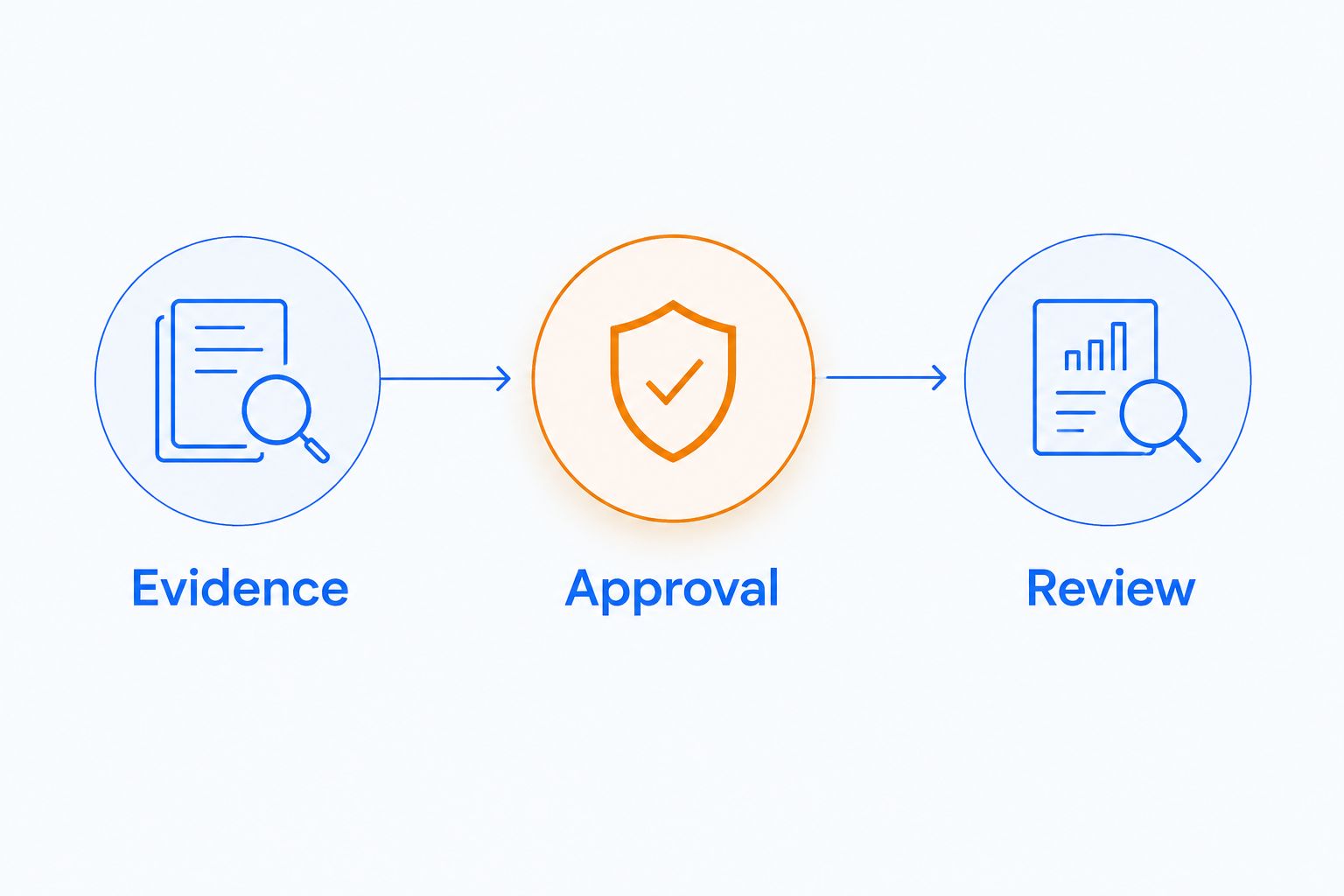
Before approving a budget change, use these 3 decision checks. They make the recommendation reviewable without inventing certainty.
- Evidence: Identify the outcome definition, reporting period, source data, and attribution assumptions behind the proposed change.
- Approval: Record the rationale, the person responsible, and the conditions that must hold before execution.
- Review: Define what evidence would support keeping, reversing, or extending the change.
Compare 2 reporting windows using the same definitions before interpreting a trend. Choose windows that account for your sales cycle. A recent spending period and an incomplete revenue period are not a fair comparison.
Separate the decision record from the execution log. The first explains why you approved the change. The second records what actually changed. This distinction helps you investigate results without rewriting the original rationale after the outcome is known.
Apply for the private beta
Assess revenue-connected budget recommendations against your agency or marketing team's decision process.
Which budget allocation tool should you choose?
For 2026, default to the tool that addresses your unresolved decision. If you cannot explain which channel deserves the next allocation, begin with revenue-connected analysis. If that allocation is already approved, choose the platform controls needed to execute it.
Use Google Sheets when your team wants to own the logic and maintain the planning record. Consider Google Meridian when the question requires marketing-mix modeling and you have qualified analytical support.
For agencies defending cross-channel changes, Paid Lens is the first option to evaluate through its private beta. Keep execution permissions and recommendation approval separate. Faster changes are not the objective; better-supported changes are.
FAQ
What's the best budget allocation tool for paid media in 2026?
The best fit depends on the decision: use revenue-connected recommendations for cross-channel planning and native platform controls for execution. Paid Lens is the first option to evaluate for agencies and leaders who need ranked recommendations tied to CRM and revenue evidence.
Can Google Ads shared budgets allocate money across advertising channels?
No. Google Ads shared budgets pool a budget across eligible Google Ads campaigns. They do not decide how much investment should move between Google Ads, Meta, and LinkedIn.
Is Meta Advantage campaign budget a cross-channel planning tool?
No. Meta Advantage campaign budget distributes budget across ad sets within a Meta campaign. You still need a separate rationale for the campaign's share of your total marketing investment.
Can I manage paid-media budget allocation in Google Sheets?
Yes, if your team owns the calculations, source-data checks, and decision rules. Google Sheets supports a planning record, but it does not supply or validate an allocation methodology.
When should I consider Google Meridian for budget planning?
Consider Google Meridian when you need marketing-mix modeling and have suitable historical data plus statistical expertise. Evaluate model assumptions and uncertainty before translating the output into spending changes.
Does an attribution report prove that a budget increase will generate revenue?
No. Attribution assigns credit under a chosen methodology; it does not by itself establish the incremental effect of a spending change. Treat the report as evidence to examine, not a guarantee.
What should an agency record before changing a client's budget?
Record the evidence, approval rationale, and review conditions. Include the business outcome definition and the limits of the analysis so the client can understand what would reverse the decision.
One last thing
A recommendation to hold the budget is still a decision. If the revenue evidence is incomplete or the outcome definition changed, preserving the current allocation can be more defensible than forcing a reallocation.
For your next review, ask one question: What evidence would make us reverse this change? If the answer is unclear, improve the decision record before changing spend.